QueryDesk vs Bytebase: when query approval matters more than change management
Bytebase and QueryDesk both put governance in front of your databases, but they approve different things. Bytebase approves changes and access grants. QueryDesk approves queries. That difference decides which tool fits your problem, so start there before you compare feature lists.
What Bytebase does that QueryDesk doesn’t
Bytebase started as a database change management tool, and that is still its strength. If your problem is shipping schema changes safely, Bytebase gives you:
- Git-based, declarative schema migrations, with your DDL under version control.
- SQL review before deployment, with a large rule set that lints each migration before it runs.
- Automatic backup and one-click rollback for changes.
- Batch changes across many databases, rollout policies, a Terraform provider, and support for many database engines.
QueryDesk has none of this. It has no schema migration pipeline, no change tickets, no GitOps for DDL and no rollback. If you need to manage database changes with review and rollback, Bytebase is the better fit.
This comparison is about the other work people do on databases, the ad-hoc query. An engineer reads production to debug an incident, runs a one-off UPDATE to fix a corrupted row, or pulls rows to answer a support ticket. QueryDesk governs those queries, and that is where the two tools differ.
What gets approved: a grant or a query
Bytebase governs access too, with its Database Access Control product. The difference is what an approver signs off on.
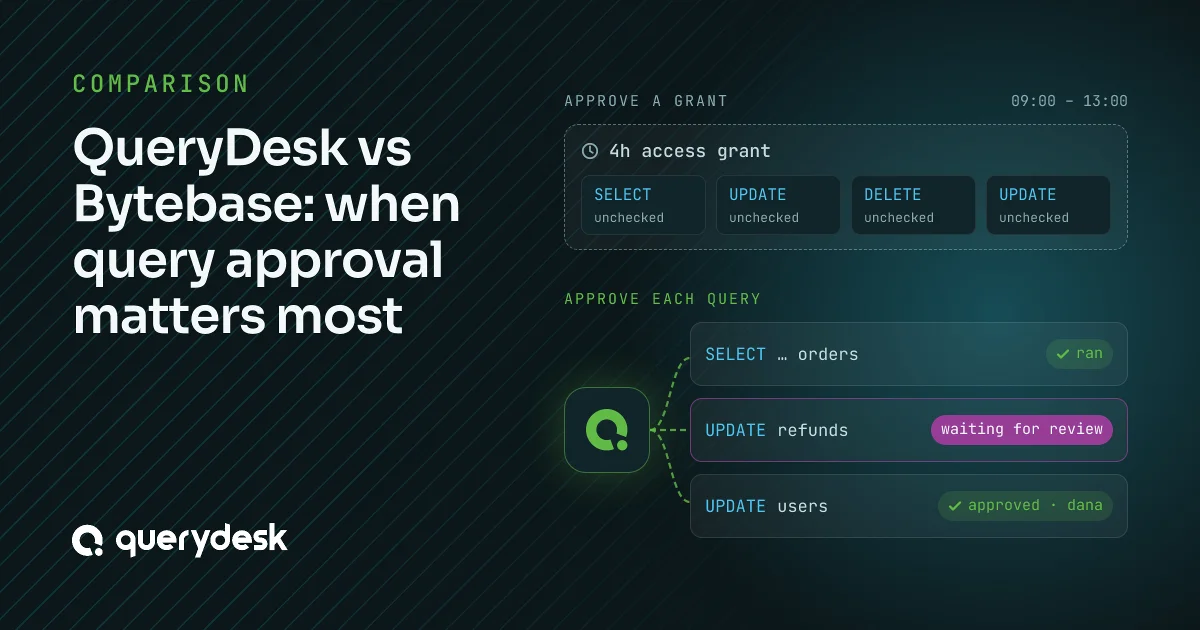
Bytebase uses just-in-time access. A developer requests access to a database, scoped to what they need and for how long, and an approver grants it. The grant expires on its own. Until it does, the developer runs queries in Bytebase’s SQL editor, and each one runs on the strength of the grant. The approver approved the grant, not the queries.
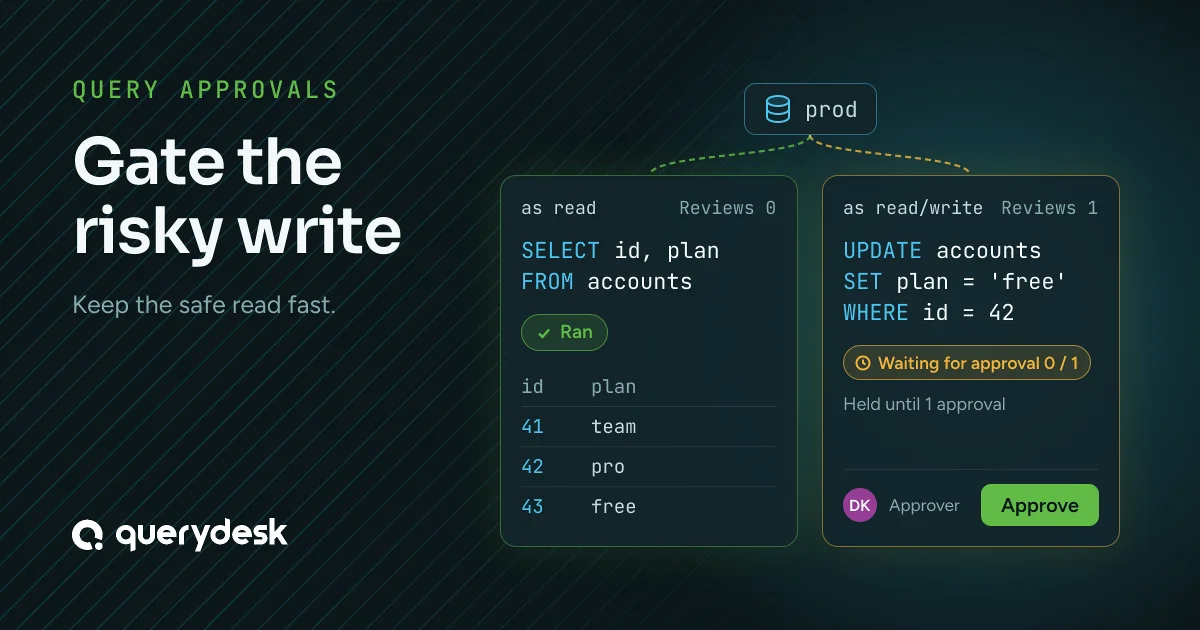
QueryDesk approves each query. A temporary grant, if you use one, only decides who can query. Every query runs as a database credential, and each credential sets how many reviews its queries need. In the usual setup, a read through a read-only credential runs at once, and a write through the read/write credential waits until a teammate reviews the exact SQL and approves it. An approved query runs exactly as approved. If its author edits the SQL, the earlier approvals stop counting.
A time-boxed grant works like a session with an expiry. You approve a block of access, then trust every query run inside it. Approve queries, not sessions makes the full case for approving the query instead.
Just-in-time access is a sound model, and QueryDesk offers it too. If you want to give a contractor read access to the analytics database for 48 hours and have it revoked automatically, Bytebase Enterprise and QueryDesk both do that. The difference is what happens during the grant. In QueryDesk, each query the contractor runs is still checked on its own, held for approval when its credential requires review, and logged with its SQL and its approver.
Per-query approval is also what lets you say yes to AI. Claude, ChatGPT, or Cursor can query a QueryDesk database through its MCP server, and each query the AI writes goes through the same credential and review checks as a person’s. You set each database’s AI access to Off, Read only, or Read and write, and the audit log labels every AI query.
Bytebase does review exact SQL for changes. Its pipeline lints and approves the specific DDL or DML you ship, and that is one of its strengths. Queries run during an access grant don’t get that review. In QueryDesk, any query gets it, read or write, when its credential requires review, including one run under temporary access.
Masking: where it happens
Both tools mask sensitive columns, at different points in the query’s path.
Bytebase’s dynamic data masking works on results. Queries go through its SQL editor, and Bytebase masks the result after the database returns it. Its implementation is thorough. Masking carries over to views that depend on a masked column, exports follow the policy, and exemptions expire and are audited. But the database still returns the real value on every query, and Bytebase hides it before display. Bytebase can show that it masked the result. It can’t show that the value stayed in the database.
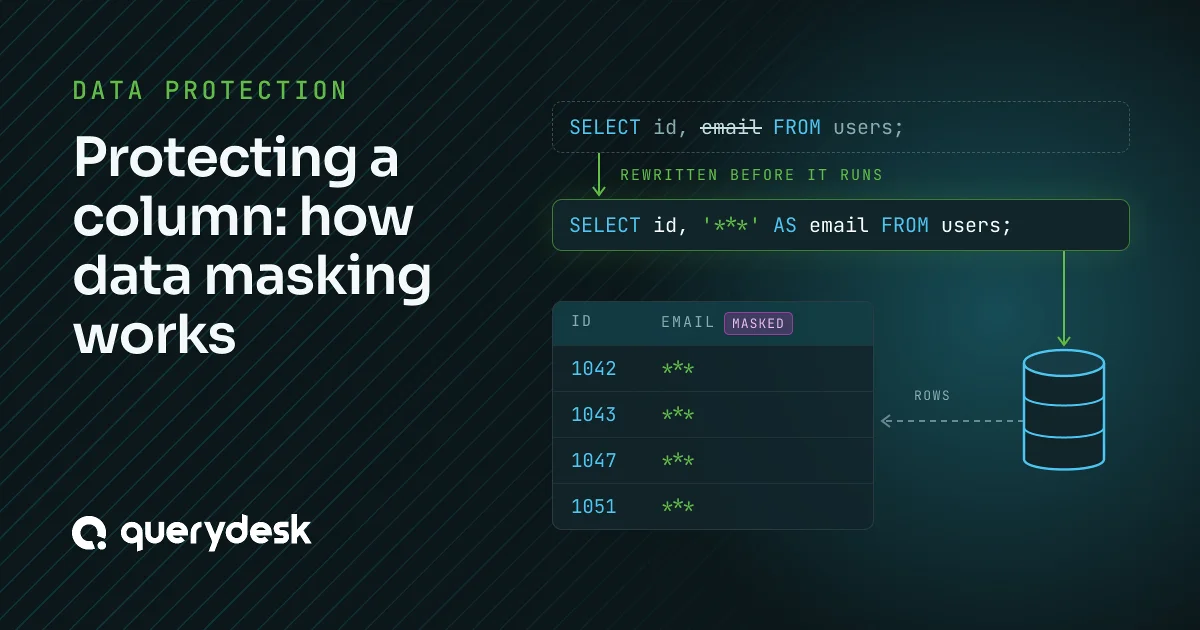
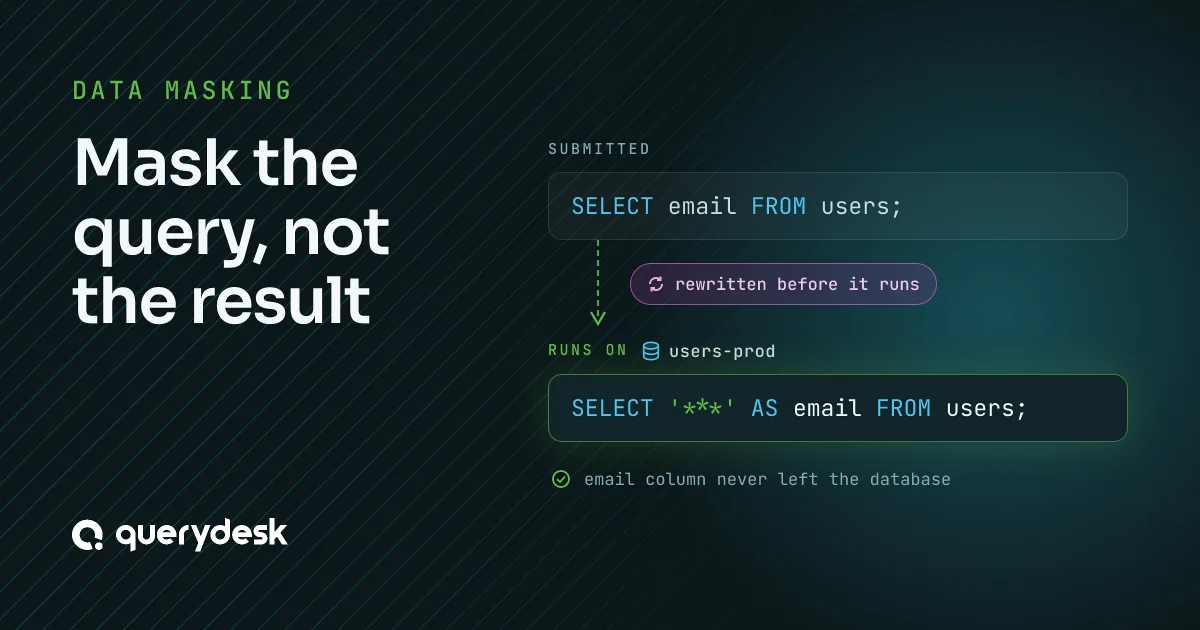
QueryDesk rewrites the query before it reaches the database and replaces every reference to a protected column with ‘***’, or with a transform you configure: part of the value, such as a card’s last four digits, a salted hash, or a fixed placeholder. The database computes the redacted value itself, so the real value never leaves it. On a hidden column, a function such as length(email) runs against ‘***’ and returns 3. A query that filters, joins or sorts on a protected column is refused before it runs, with a message naming the column. The one exception is a join between two hashed columns, which works because equal values hash the same. Result-side masking vs pre-execution query rewriting covers the two designs in depth.
Both tools mask by column. Bytebase matches its masking rules by environment, project, database, table, column or data classification. A QueryDesk policy gives each column an action, rules set actions in bulk by column name or type, and a column the policy doesn’t cover is hidden, including one added later. Neither tool filters rows. Both leave that to the database’s own row-level security.
Which clients are governed
Bytebase governs the queries that go through its SQL editor, and its docs say that direct connections to the database bypass masking. Its governance covers your team while they work in the Bytebase editor. An engineer who connects DataGrip or a terminal client straight to the database is outside it.
Engineers who prefer their own client are the ones most likely to work around a web editor, so QueryDesk lets them keep it. The QueryDesk CLI, the DataGrip plugin and the JDBC driver connect through QueryDesk as the signed-in member, and each query runs with that member’s access, data protection and audit log. No database password reaches their machine. These clients connect through credentials that need no review, so a write that needs approval goes through the QueryDesk editor.
Pricing and what each plan includes
QueryDesk is free for one user and $12 per user a month for a team, with every feature included and no annual contract. Bytebase Pro is $20 per user a month, and Bytebase Enterprise is priced by quote. The access features this post covers are in Bytebase Enterprise, not Pro.
| Capability | Bytebase | QueryDesk |
|---|---|---|
| Schema migration, SQL review, rollback | Yes | Not offered |
| Web SQL editor | Yes | Yes |
| Approval model | Grant and change approval (Enterprise) | Per query (every plan) |
| Data masking | On the result (Enterprise) | Query rewritten before it runs (every plan) |
| Time-bound access grants | Yes (Enterprise) | Yes, with per-query review (every plan) |
| Governs your own SQL client | No, editor only | Yes: CLI, DataGrip plugin, JDBC driver |
| Audit log retention | None, 7 days or unlimited, by plan | Unlimited (every plan) |
| Price and terms | Free, $20 per user, or quote (annual) | Free for one user, then $12 per user (monthly) |
Approval workflows, dynamic data masking, just-in-time access and unlimited audit retention are all in Bytebase Enterprise, which is priced by quote on an annual contract. Bytebase Pro at $20 gives you change management, the SQL editor and seven days of audit log retention, without the access controls. If you need approvals and masking, compare QueryDesk at $12 per user, month to month, with a Bytebase Enterprise quote on an annual contract.
The per-user prices on the two pricing pages cover different sets of features, so compare the plans that include what you need.
Which one to buy
Choose Bytebase if your problem is managing database changes, with schema migrations, review, rollback and GitOps. QueryDesk doesn’t do that work. If your team is happy to query through a web editor with result-side masking, Bytebase Enterprise also covers access control.
Choose QueryDesk if your problem is governing ad-hoc queries against production. You get reviews on the credentials that need it, temporary access that still goes through those reviews, masking that keeps sensitive data in the database, governed access from your own SQL client and from AI clients, and one audit log for all of it. Every feature is in the $12 plan.
QueryDesk checks every query against the same access, review and masking rules, whether it comes from the web editor, your own client or an AI client, and records it in one audit log. The features page shows how they fit together. QueryDesk is free for one user, and you don’t need a credit card.
We checked Bytebase’s features, plans and pricing against its public documentation and pricing page in November 2026. If anything here is out of date, tell us and we’ll correct it.