Protecting a column: how data masking works, and which queries it refuses
If you’re responsible for a regulated column, such as an email address, a tax ID or a card number, you want your team to keep querying the tables that hold it without anyone reading it in the clear. QueryDesk data protection does that. This post covers how to set it up, what your users see afterward, which queries QueryDesk refuses once a column is protected, and how someone gets the real value when they need it.
How QueryDesk protects a column
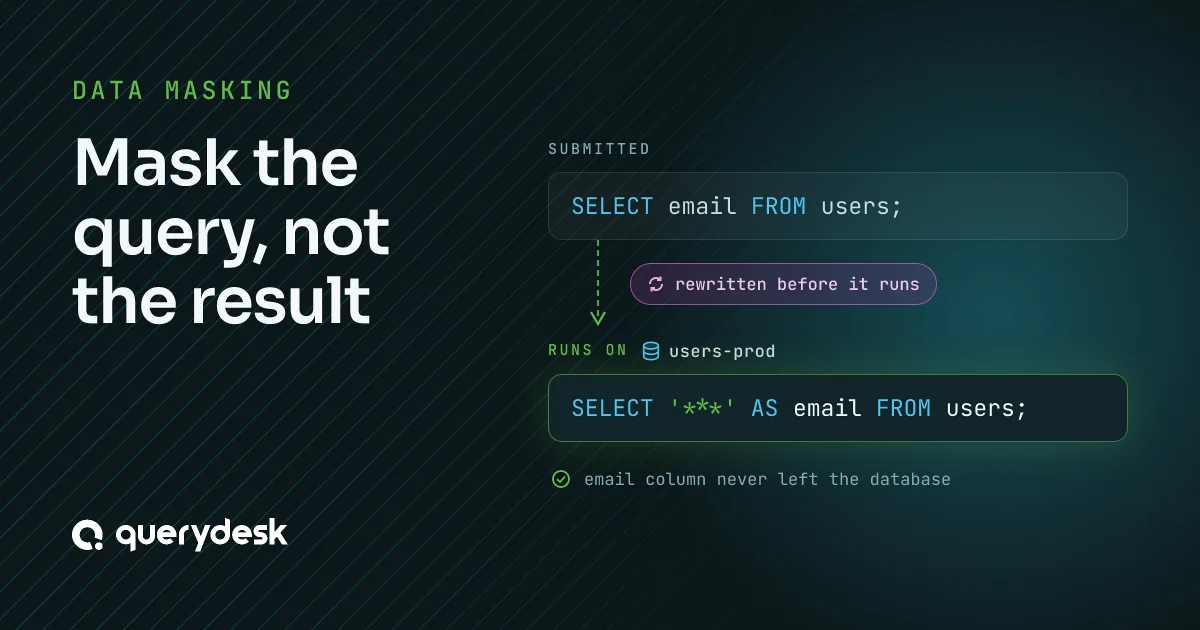
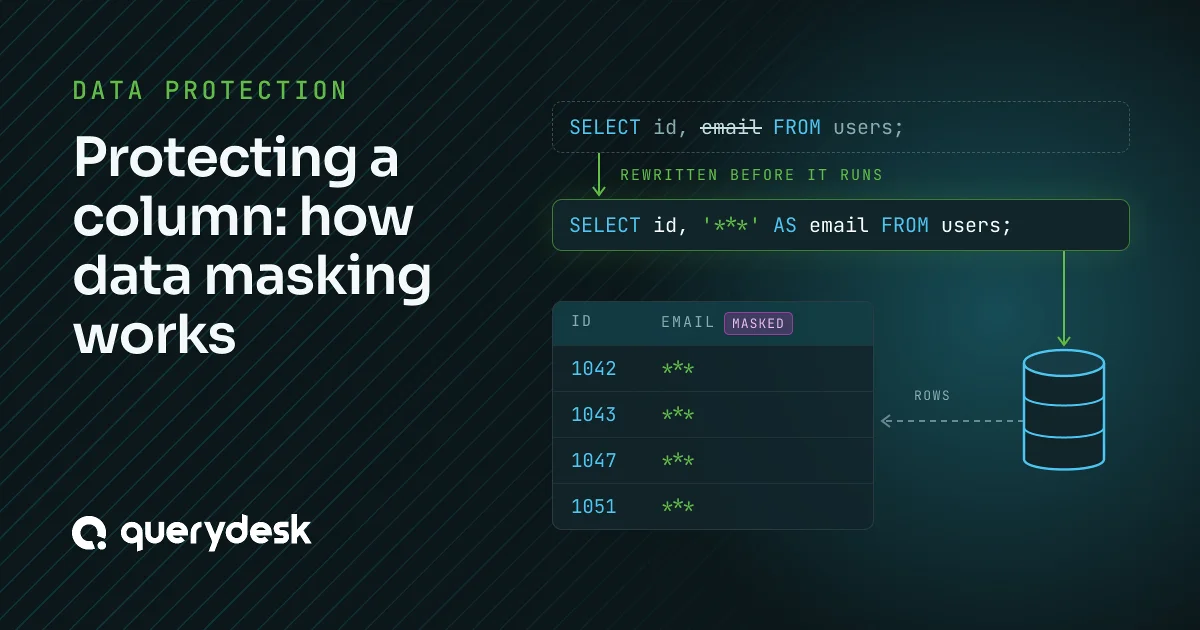
QueryDesk rewrites each query before it reaches the database. Every reference to a protected column becomes the constant ‘***’, so the database never reads the value out of the row and the value never leaves the database. Rewriting the query, rather than masking the result on the way back, gives you something to show an auditor. The rewritten SQL is in the audit log, and it proves the sensitive column was never selected.
Setup is a policy, then a grant
A data protection policy belongs to one database and gives each column an action:
- Show. The column comes back as stored.
- Hide. The column comes back as ‘***’.
- JSON structure. A JSON column keeps its keys, and each value is replaced with its type name. People can see the shape of the document without its contents.
A column the policy doesn’t show is hidden, including a column added to the table after you wrote the policy. Rules set actions in bulk by column name or type, such as hiding every column whose name contains “email”. Then you attach the policy to a grant on that database, for a member, a role or a service account. The policy and the grant are separate on purpose. The policy says which columns are sensitive, which follows your schema and your compliance scope. The grant says who the policy applies to, which follows your access model. You write the policy once and change who it governs without touching a column. When a member’s roles carry different policies on the same database, QueryDesk combines them column by column and the stricter action wins. A role with no policy doesn’t lift another role’s policy. A grant made directly to a member decides on its own.
What your users see
A protected column doesn’t go blank, and it doesn’t make the query fail. It comes back as the text ‘***’, because that constant is what the rewritten query selects.
SELECT id, email FROM users;
Each row comes back with its real id and ‘***’ as its email.
The rewrite applies wherever the column appears in the query, not only in the select list. An expression runs against the constant instead of the stored value:
SELECT length(email) FROM users;
This returns 3 for every row, the length of ‘***’.
Filters on a protected column are refused
A query that filters, joins, groups, sorts or aggregates on a protected column would run against ‘***’ and return a wrong answer, such as no matches or one collapsed group. QueryDesk refuses that query instead of running it:
SELECT id FROM users
WHERE email = 'lee@example.com';
QueryDesk answers “Column ‘users.email’ is redacted, so it can’t be used to filter, join or compare rows.” The same check covers JOIN … ON, GROUP BY, ORDER BY, DISTINCT, aggregate functions and window partitions.
Tell your engineers before you roll it out. A lookup by email that worked yesterday is refused today, and the message tells them why.
Getting the real value
When someone needs a protected value, there are three ways to get it, and the audit log records each one.
- Change the policy. An admin sets the column to Show, for everyone the policy governs.
- Unredaction request. A member asks for one column, and the admin who approves it sets that column to Show in the policies that govern the member.
- Unredacted run. A member asks to run one query of their own once, with nothing redacted. A peer reviews it first and sees which columns it reveals and which policies hide them. The member runs it once, the policy doesn’t change, and the audit log keeps who approved it and which columns it revealed.
An unredacted run is the usual answer to a refused filter, so QueryDesk offers the request on the refusal itself. Each database has an Unredacted runs allowed setting that decides whether members can ask.
What QueryDesk checks
- Approval doesn’t lift masking. A query on a credential that requires review is masked like any other. The reviewer checks what the query does, and approving it reveals nothing. An unredacted run is the only approval that reveals values, and the reviewer sees exactly which ones.
- Writes are masked too. INSERT INTO scratch SELECT email FROM users inserts ‘***’, and RETURNING comes back masked. QueryDesk refuses a data-modifying statement inside WITH, because it can’t mask one there.
- AI and service accounts stay masked. An AI query runs under the policy of the person or service account it acts for, combined with the database’s AI data protection policy, and the stricter action wins per column. Neither can get an unredacted run. You can let Claude, ChatGPT, or Cursor query these tables, and every protected column comes back as ‘***’.
- SQL it can’t read is refused. QueryDesk refuses a statement it can’t fully parse, and functions that run SQL from a string or read from another server, instead of passing them through unmasked.
Everywhere a query runs
Masking is part of the policy check every query goes through. It applies the same way in the web query editor, through the proxy from your own SQL client, in workflows on every run, and to AI queries.
The setup, end to end
Create a policy on the database, show the columns people need, and leave the rest hidden. Attach the policy to the grants of the roles, members and service accounts it should govern. From then on, their queries return ‘***’ for every protected column, and QueryDesk refuses any query that filters on one. When someone needs a real value, an admin changes the policy or approves an unredaction request, or a peer approves a single unredacted run. The audit log shows who approved each one. To try it on your own schema, start for free. QueryDesk is free for one user and doesn’t need a credit card.