The hidden cost of "just give the on-call engineer prod access"
Most engineering leaders have two bad options for production database access. Lock it down so every incident waits on one person, or hand out blanket access and hope. Both cost you. You pay for the lock-down in minutes during every incident. You pay for blanket access all at once, on a bad day or in an audit.
This post covers why those look like the only two options, what each one costs, and a third option that avoids the trade.
How you got here
Early on, everyone has prod access and it works. The team is small, everyone has context, and a mistake costs a Slack apology. Then you grow. You hire people who shouldn’t have a direct line to the customers table. A customer sends you a security questionnaire. You start your first SOC 2. The setup that worked at eight engineers won’t pass either one.
So you lock it down. Then you find the lock-down has its own cost, and you pay it during every incident.
Locking it down slows every incident
Picture a P1 at 2am. The pager goes off and the on-call engineer picks it up. They know which three queries would tell them what’s wrong. What they don’t have is prod access, because you limited it to the DBA and a couple of senior engineers. So the alert escalates. The DBA’s phone buzzes, but the DBA is asleep. Forty-five minutes later the DBA answers, reads the thread, runs the queries the on-call engineer could have run at minute one, and the incident starts moving.
Nobody spent those 45 minutes debugging. They spent them waiting for the person with access to catch up with the person with context.
That is the structural problem with locking it down: the person with access is rarely the person with context. You put access in a few trusted hands because trusting fewer people is safer. But those people aren’t holding the pager at 2am, and they haven’t been watching the failing service for the last twenty minutes. Every incident routes through them.
It compounds. The fewer people who can touch prod, the more incidents, data fixes, and “can someone check why this customer’s record looks wrong” requests go through the same small group. Those people become a bottleneck for the whole company and burn out, and their availability sets a floor under your MTTR, however easy the problem is.
Opening it up works until the audit or the bad day
The obvious reaction is to widen access again. Give the on-call rotation prod credentials. Give senior engineers standing access to everything. Incidents move faster. For a while it looks like the right call, because you feel the slowdown every week and you don’t see the cost of wide access until you pay it.
Then one of two things happens.
The first is the audit. SOC 2 CC6.1 asks you to show that access to sensitive data is limited to the people who need it. When the auditor asks who can read the customers table and the honest answer is “most of engineering,” you have a finding, not a control. A policy document nobody follows won’t cover it. Once the auditor samples actual access and finds a junior engineer ran an unrestricted SELECT against PII with no approval and no record of why, you’re explaining a gap instead of showing a control.
The second is the bad day. Someone runs an UPDATE without a WHERE clause. Someone exports the customers table to debug an issue, and the export ends up on a laptop. Someone’s credentials get phished, and the attacker gets standing access to everything that person could touch. None of these takes malice. With blanket access, an ordinary mistake can reach your entire production dataset.
Blanket access costs nothing on most days and a great deal on the day you pay for it. That’s why it’s so easy to put off.
Gate what the query can do, not who runs it
Both paths look like the only options because both treat access as a property of the person. You either trust someone with prod or you don’t. The DBA is trusted, the junior engineer isn’t, and access follows that line.
But most of the risk is in what a query can do, not in who runs it. A SELECT against a read replica is low-risk whoever runs it. A DELETE against the customers table is high-risk whoever runs it. When you tie access to people, you make one coarse trust decision up front and live with it. When you tie it to what the query can do, reads go straight through and writes get a second reviewer, whoever is at the keyboard.
QueryDesk is built around that idea. A database can have more than one credential, and each credential sets how many reviews its queries need before they run. You choose who can query each database and who can approve on it, per person or per role.
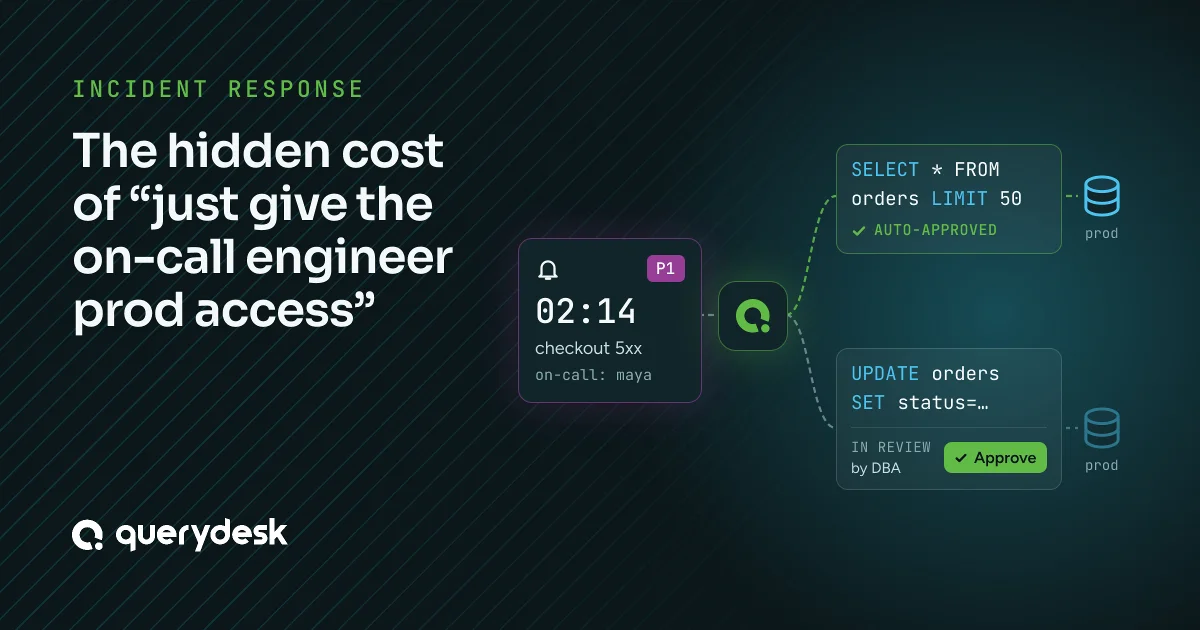
- Reads run right away. Connect a read-only login with Reviews set to 0, and anyone with access to the database runs diagnostic queries through it with nobody else in the loop. During an incident, the on-call engineer with context runs them at minute one.
- Writes wait for review. Connect a login that can write with Reviews set to 1 or more. A DELETE, an UPDATE to a customer record, or any data fix through it waits until enough people who can approve on that database have reviewed the exact SQL. Nobody can approve their own query. If the author edits the SQL, earlier approvals stop counting, so the SQL that ran is the SQL that was approved. Any approver on the database can review it, so a sleeping DBA doesn’t hold up the incident.
- Approvals happen in Slack. The review request posts to the database’s Slack channel with an Approve button, so the approver can act from their phone without a laptop or prod credentials.
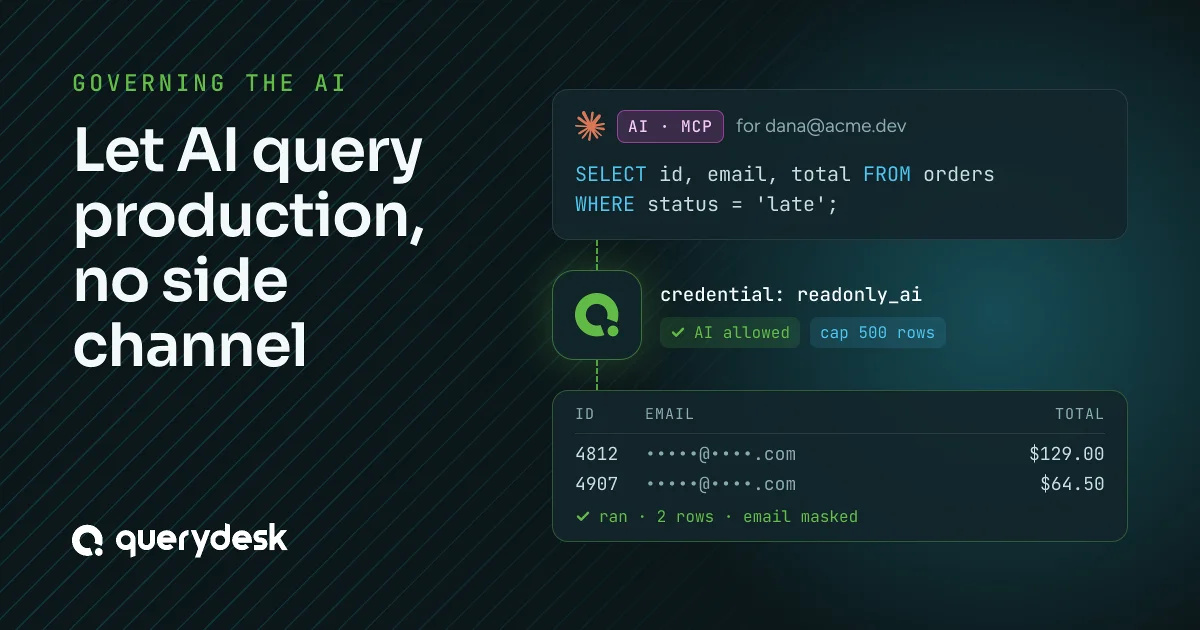
- QueryDesk masks sensitive columns before the query runs. A data protection policy rewrites the query, so even an approved SELECT * against the customers table returns the email column masked unless the policy shows it. Approving a query doesn’t unmask anything, and the masked values never leave the database.
Now run the 2am P1 again. The on-call engineer picks up the alert and runs their diagnostic SELECTs against the read replica right away, through the read-only login that needs no review. Nobody else gets paged. They trace the problem to a corrupted row that needs a manual UPDATE. That one query waits for review. The DBA gets the Slack message, reads the exact SQL on their phone, approves it in fifteen seconds, and goes back to sleep. The person with context resolved the incident, the one risky change got a second reviewer, and every query is in the audit log under the person who ran it, with its approvals attached.
The 45-minute stall is gone, and nobody holds blanket access. You didn’t trade speed for safety, which is the choice the first two paths forced on you. You got both, because what you review now matches where the risk is.
What it takes to set up
You have to decide which credentials each database gets, how many reviews each one needs, who can query each database, and who can approve. That takes real work. But you’ll have to answer “who can touch what in prod” for the auditor anyway. The difference is whether the answer is settings QueryDesk enforces and logs, or tribal knowledge and a Notion doc.
This covers the database access part of incident response. It doesn’t fix your alerting, your runbooks, or the hard debugging. It removes two costs you caused yourself: the right person waiting on access they should have had, and everyone holding access they didn’t need.
If your team just outgrew “everyone has prod access” and you’re choosing between locking it down and handing out credentials, you don’t have to pick. QueryDesk includes every feature at $12 per user a month, with no tiers. The features page shows how access, reviews, and the audit log fit together, and QueryDesk is free for one user with no credit card.